MTD Document Preparation for Accounting Firms: The Complete 2026 Guide

MTD document preparation is the process of converting client records — receipts, invoices, bank statements, and supporting documents — into digitally stored, HMRC-compliant formats before quarterly submissions under Making Tax Digital (MTD). For accounting firms, this preparation step is where the real workload lives. This guide covers exactly what is required, what counts as a digital record, and how to handle it at scale across your client base.
What MTD for Income Tax Actually Requires
Making Tax Digital for Income Tax Self Assessment (MTD for ITSA) changes three things for your clients: how they keep records, how often they report, and what the final year-end process looks like.
Digital records. Every qualifying client must maintain records in a digital format from the point of transaction. Paper records are not compliant on their own. HMRC requires that the underlying data — date, amount, category, counterparty — is captured and stored digitally.
Quarterly updates. Clients must submit a summary of income and expenses to HMRC four times per tax year. These are not full tax returns — they are cumulative summaries. But they require accurate, categorised, up-to-date records to produce.
Final declaration. At year-end, clients submit a final declaration replacing the current Self Assessment return. This consolidates the four quarterly submissions and adds any additional income sources.
The three-part structure means that document preparation is no longer an annual exercise. It is a continuous, quarterly obligation — which has significant implications for your firm's workflow and capacity.
Who is affected:
- From April 2026: Self-employed individuals and landlords with qualifying income above £50,000
- From April 2027: Those with qualifying income above £30,000
- From April 2028: Those with qualifying income above £20,000 (subject to confirmation)
According to HMRC's own MTD guidance, an estimated 780,000 taxpayers will be in scope from April 2026 alone — and the majority will rely on their accountant to manage compliance.
The Document Preparation Bottleneck — Why It Is the Real Challenge
Submission is not the hard part. Most MTD-compatible software handles the API connection to HMRC without difficulty. The hard part is getting client documents into a state where submission is possible.
The bottleneck sits at the intake and processing stage: the moment a client hands over a shoebox of receipts, a PDF bank statement, a set of forwarded email invoices, and three months of handwritten mileage logs. Before any software can generate a quarterly update, someone has to convert that pile into structured, categorised, digital records.
In traditional Self Assessment, this happened once a year — often in a concentrated January rush. Under MTD, it happens four times a year, per client, every year. For a firm with 80 MTD-affected clients, that is up to 320 document processing events annually, on a fixed-fee model that was priced for annual compliance.
A 2025 survey by Accountex found that 81.70% of accounting firms cite MTD as their primary concern and client document readiness is at the heart of this challenge about MTD implementation — ahead of software compatibility, HMRC systems, or staff training. The problem is not submission. It is preparation.
This is the gap that Taxiom was built to close.
What Counts as a Digital Record Under HMRC Guidelines
A digital record under MTD must capture specific data fields. HMRC does not mandate a particular software or file format — but it does mandate what information must be held.
For business income and expenses, a compliant digital record must include:
- Date of the transaction
- Amount (net, VAT if applicable, gross)
- Category or nature of the expense or income
- Name of the supplier or customer
For property income, the digital record must include:
- Date received
- Amount received
- Property or tenancy the income relates to
- Associated expense records in the same format
What does not count as a digital record:
- A photograph of a receipt stored in a general photos folder with no associated data fields
- A spreadsheet that contains descriptions but no consistent date or category formatting
- A scanned PDF with no extracted or linked metadata
What does count:
- A photograph of a receipt where the image has been processed and the underlying transaction data (date, amount, supplier, category) has been extracted and stored in a digital system
- A bank statement import where each line has been categorised within MTD-compatible software
- An invoice stored in accounting software with all required fields populated
The distinction is not about file type. It is about whether the underlying transaction data is accessible, structured, and linked. A JPEG is not a digital record. A JPEG with extracted, categorised transaction data attached to it is.
Common Client Document Types and How to Handle Them
How to Digitise Receipts for MTD
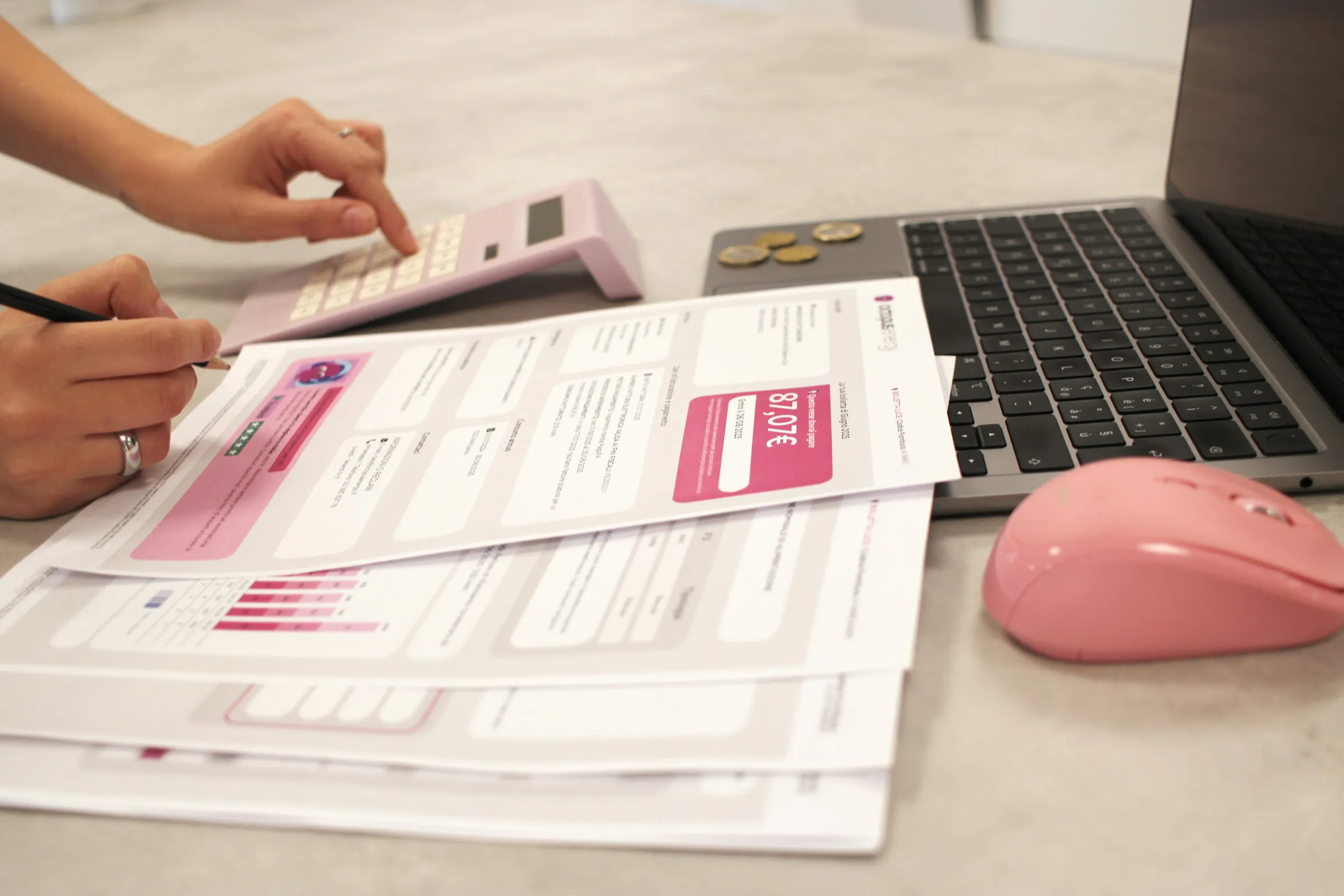
Receipts are the highest-volume document type for most self-employed clients. The digitisation requirement is specific: capturing the image alone is insufficient. The transaction data must be extracted and stored.
Recommended workflow:
- Client photographs receipt at point of purchase using a mobile capture app
- The app or a connected processing service extracts date, amount, and supplier
- The extracted data is written to accounting software or a connected digital record store
- The original image is retained as supporting evidence
Timing matters. HMRC expects records to be kept from the point of transaction, not reconstructed at quarter-end. Encourage clients to photograph receipts immediately, not accumulate them.
Bank Statements
Bank statements — whether downloaded as PDFs or accessed via open banking feeds — are one of the cleaner document types to handle. Most MTD-compatible software can import bank feeds directly. For clients who do not use bank feeds, PDF statements should be imported via automated extraction rather than manual entry.
Key issue: Bank imports give you transaction data, but not categorisation. Each line still requires a category assignment. For clients with complex or mixed transaction histories, this categorisation step is where time is spent.
Invoices
Sales invoices are typically the most structured of the document types — especially if the client uses invoicing software. The challenge arises with clients who issue invoices in Word or PDF format, or who receive supplier invoices in varying formats.
For purchase invoices received from suppliers, the same extraction logic applies: date, amount, VAT, supplier name, and expense category must be captured as structured data, not just stored as files.
Handwritten Notes and Mileage Logs
Handwritten records are the most labour-intensive category. Mileage logs, petty cash records, and handwritten expense notes have no native digital structure.
Options in order of efficiency:
- Replace at source — push clients toward mobile mileage tracking apps before MTD mandates it
- Structured intake forms — give clients a simple template to digitise their own notes before submission
- Automated extraction — tools that can read handwritten documents and produce structured output
For clients who will not change behaviour, structured intake templates combined with an extraction workflow are the most practical solution.
Step-by-Step: From Paper Document to MTD-Ready Record

This is the process every accounting firm needs documented, tested, and running before April 2026.
- Client document intake. Define a single intake channel per client — email, a client portal upload, or a mobile capture app. Eliminate ad hoc methods (WhatsApp photos, paper drop-offs, USB drives). Every document enters the same pipeline.
- Document classification. Identify the document type: receipt, invoice, bank statement, mileage log, lease agreement, or other supporting document. Classification determines the extraction template used.
- Data extraction. Extract the required HMRC data fields from the document. For structured documents (invoices, bank statements), this is largely automated. For unstructured documents (handwritten notes, photographs), an AI-assisted extraction tool — such as Taxiom — can process these at scale without manual keying.
- Validation. Check extracted data against source documents. Flag ambiguous entries — unclear amounts, missing supplier names, uncategorised transactions — for human review. Do not pass unvalidated records to the quarterly update.
- Categorisation. Map each transaction to the appropriate HMRC income or expense category. This step benefits from client-specific rules: a regular fuel receipt for a courier client should auto-categorise. A one-off payment from an unknown payee requires review.
- Transfer to MTD-compatible software. Write the structured, categorised data to your MTD bridging or accounting software — Xero, QuickBooks, FreeAgent, or equivalent. This is the point at which the record becomes submission-ready.
- Quarterly submission. Generate the quarterly update from within the MTD-compatible software and submit to HMRC via the API. Retain all source documents and the extracted records for the seven-year statutory retention period.
Steps 1 through 5 — intake, classification, extraction, validation, and categorisation — are the preparation phase. They account for the majority of time per client. Steps 6 and 7 are largely automated once the preparation is complete.
How to Manage 50+ MTD-Affected Clients Without Expanding Your Team
Scale is the central operational problem for accounting firms under MTD. The quarterly cadence is fixed. Client numbers will not reduce. Staff headcount is expensive. The only variable is the efficiency of your document processing workflow.
Segment your client base first. Not all clients are equal effort. Categorise clients by document complexity — clean bank-feed clients, mixed-document clients, and paper-heavy clients. Apply your highest-automation workflow to the first group and reserve human review capacity for the third.
Standardise your intake process. A firm that accepts documents through five different channels — email, WhatsApp, post, portal, and phone photo — is processing five different workflows. Consolidate to one. Client education takes time upfront but recovers it every quarter.
Process in batches, not on demand. Set fixed processing windows — for example, the first five working days of each month following quarter-end. Batching concentrates the workload, reduces context-switching, and allows automated tools to run across a full client set rather than document by document.
Use automation for extraction, not for judgement. Automated document extraction tools handle the mechanical work — reading, extracting, structuring. Accountants handle the decisions — categorisation disputes, ambiguous transactions, tax treatment questions. Preserve that distinction and your team's time is spent where it adds value.
Build client-specific extraction rules. A landlord client's records look different from a sole trader's. Build category maps, supplier recognition rules, and exception lists per client and apply them at extraction. Over time, the proportion of records requiring human review decreases.
Taxiom applies exactly this model: documents in, structured data out — with client-specific rules, validation flagging, and direct export to accounting software. A firm processing 60 clients manually through quarterly preparation can reduce that to a fraction of the time with the right extraction infrastructure.
Software and Tools That Solve the MTD Document Preparation Step
The MTD software market divides into two layers.
Submission software handles quarterly updates and the final declaration. The major players are Xero, QuickBooks, Sage, and FreeAgent — all of which have or are building HMRC-recognised MTD compatibility.
Document preparation tools sit upstream. They solve the intake-to-structured-data problem before submission software gets involved.
The right stack for a firm managing 50+ MTD clients is likely a combination: a document intelligence platform handling intake and extraction, feeding structured data into MTD-compliant accounting software for submission.
When evaluating document preparation tools, look for:
- Support for multiple document types, not just receipts
- Client-specific extraction rules and categorisation logic
- Batch processing capability (not document-by-document)
- Export compatibility with your existing accounting software
- Validation and exception flagging — not just extraction
MTD Document Preparation for the Wave 1, 2, and 3 Timeline
Understanding when each tranche of clients enters scope changes how you prioritise preparation now.
Wave 1 — April 2026 Clients with qualifying income above £50,000 from self-employment or property (or both combined). This is the immediate priority. If you have not begun client communication and document workflow testing for this group, begin now. There is no grace period built into the April 2026 mandation date.
Wave 2 — April 2027 Clients with qualifying income above £30,000. The processes built for Wave 1 clients should be fully operational and documented before Wave 2 arrives. Use the 2026–27 tax year to refine your intake templates, extraction rules, and quarterly workflow.
Wave 3 — April 2028 (provisional) Clients with qualifying income above £20,000. HMRC has signalled this threshold but has not yet legislated it. Plan for it, but do not commit resources ahead of legislative confirmation.
What this means for your client base:
Begin by identifying every client affected in Wave 1. Review their current record-keeping behaviour — how do they produce records today, what format are those records in, and how much manual processing does your firm currently do for them at year-end? That manual processing is now a quarterly obligation.
Per AccountingWEB's MTD coverage, the firms that will manage MTD at scale with existing teams are those that have invested in their document intake and processing infrastructure before the mandation date — not those scrambling to adapt in the first quarter of 2026.
Ready to Process Client Documents at Scale?
Taxiom extracts structured data from any document — receipts, invoices, statements, handwritten records — and outputs it in a format that feeds directly into your accounting software. No manual keying. No document-by-document processing. Consistent extraction rules per client, validated output, and batch capability built for quarterly compliance.
Start processing your clients' documents free — 100 pages/month at taxiom.co
Conclusion
MTD document preparation is the operational challenge of Making Tax Digital — not the submission, not the software. The firms that manage Wave 1 without expanding headcount will be those that have built a systematic, automated intake-to-structured-data workflow before April 2026.
The steps are clear: standardise intake, extract data from every document type, validate before categorisation, and transfer clean structured records to your submission software. The question is whether you build that workflow manually or use a purpose-built tool to handle the extraction at scale.
Either way, start now. Wave 1 clients are in scope in months, not years.
Frequently Asked Questions
What is MTD document preparation?
MTD document preparation is the process of converting client records — receipts, invoices, bank statements, and other source documents — into digitally stored records that meet HMRC's Making Tax Digital requirements. It covers everything from document intake through to structured data entry in MTD-compatible software. The preparation phase sits before quarterly submission and is where the majority of accounting firm workload sits under MTD.
What counts as a digital record for MTD?
A digital record under MTD must contain specific transaction data fields: date, amount, expense or income category, and supplier or customer name. A photograph of a receipt does not qualify as a digital record on its own — the underlying transaction data must be extracted and stored in a digital system. Bank feed imports, processed invoice data, and entries in MTD-compatible accounting software all meet the requirement provided the required fields are present.
How do I digitise receipts for MTD compliance?
To digitise receipts for MTD, capture the document digitally — through a photograph or scan — and extract the required transaction data: date, amount, supplier, and category. The image alone does not satisfy HMRC's requirements. Use a mobile capture app, a receipt processing service, or a document intelligence platform such as Taxiom to extract and structure the data at scale. The earlier in the transaction lifecycle the receipt is captured, the better — HMRC expects records to be kept from the point of transaction.
When does MTD for Income Tax apply to my clients?
MTD for Income Tax applies from April 2026 for clients with self-employment or property income above £50,000. The threshold drops to £30,000 from April 2027, and to £20,000 from April 2028 (provisional). Clients above the relevant threshold must maintain digital records and submit quarterly updates to HMRC through MTD-compatible software.
How many quarterly submissions will my firm need to manage?
Each MTD-affected client requires four quarterly updates per tax year, plus a final declaration. A firm with 80 clients in Wave 1 scope will manage up to 320 quarterly processing events in the first year of mandation — in addition to any non-MTD compliance work. This is why document preparation infrastructure matters: manual processing at that volume is not viable on existing fee structures without automation.
Can I still use spreadsheets under MTD?
Spreadsheets alone are not MTD-compliant — but they can be used as part of a compliant workflow with bridging software. HMRC requires that digital records are maintained and that submissions are made via a software API. A spreadsheet that feeds into HMRC-recognised bridging software meets the digital link requirement. However, using a spreadsheet for data entry while simultaneously processing a high volume of unstructured client documents is not scalable. Purpose-built extraction and accounting tools are significantly more efficient at the volumes MTD creates.
Recommended For You

Taxiom vs Manual Data Entry: How UK Accounting Firms Are Cutting MTD Prep Time
Manual document processing costs UK accounting firms 3,200+ hours a year under MTD. This article uses real numbers — documents per client, time per document, firm-wide labour cost — to show the MTD preparation time problem and how document automation changes the economics.

Making Tax Digital for Landlords: How to Prepare Property Income Records
Nearly 9 in 10 landlords are worried about Making Tax Digital. This guide covers exactly what HMRC requires for MTD landlords property records — from rental statements to repair invoices — and the step-by-step workflow accountants need to manage property clients at scale.

Taxiom vs Manual Data Entry: How UK Accounting Firms Are Cutting MTD Prep Time
UK accounting firms with 80 MTD-affected clients spend over 700 hours a year on manual document processing. This article breaks down the real cost per client, scales it across your firm, and shows the ROI of switching to automated document processing — with specific time and cost comparisons.